
Video Surveillance Software for WindowsMonitor IP cameras and webcams, record video, detect motion, and receive alerts. |
 |
|
 
|
IP Camera and Webcam Surveillance from One Windows PC
Security Eye helps turn a Windows computer into a practical video surveillance system for homes, offices, shops, and other small installations. Connect IP cameras or webcams, watch multiple video sources, schedule recording, detect motion, receive notifications, and review captured events from one application.
 |
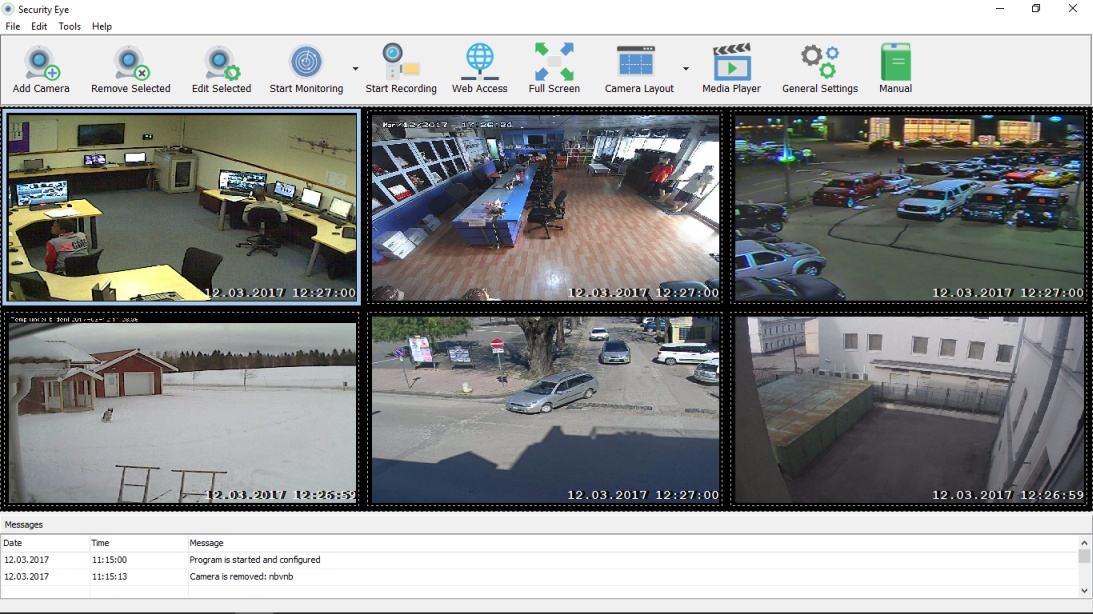
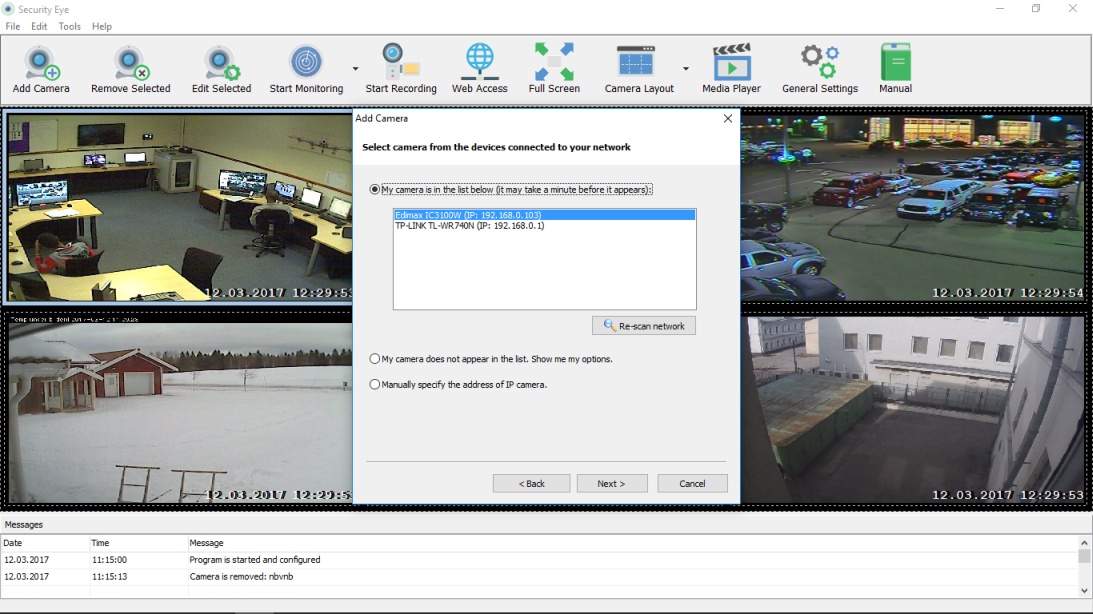
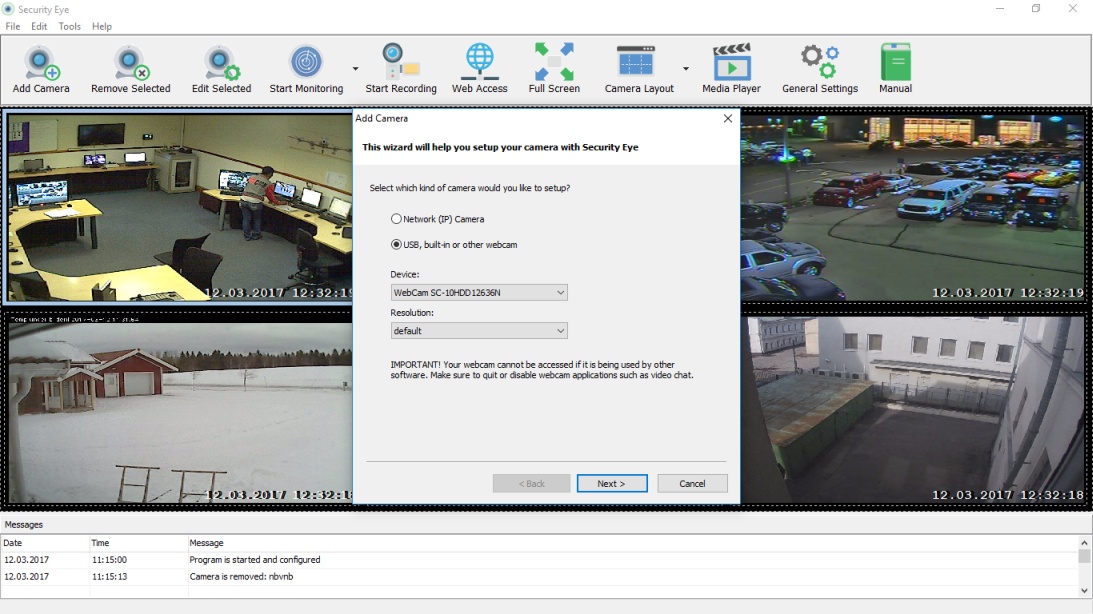
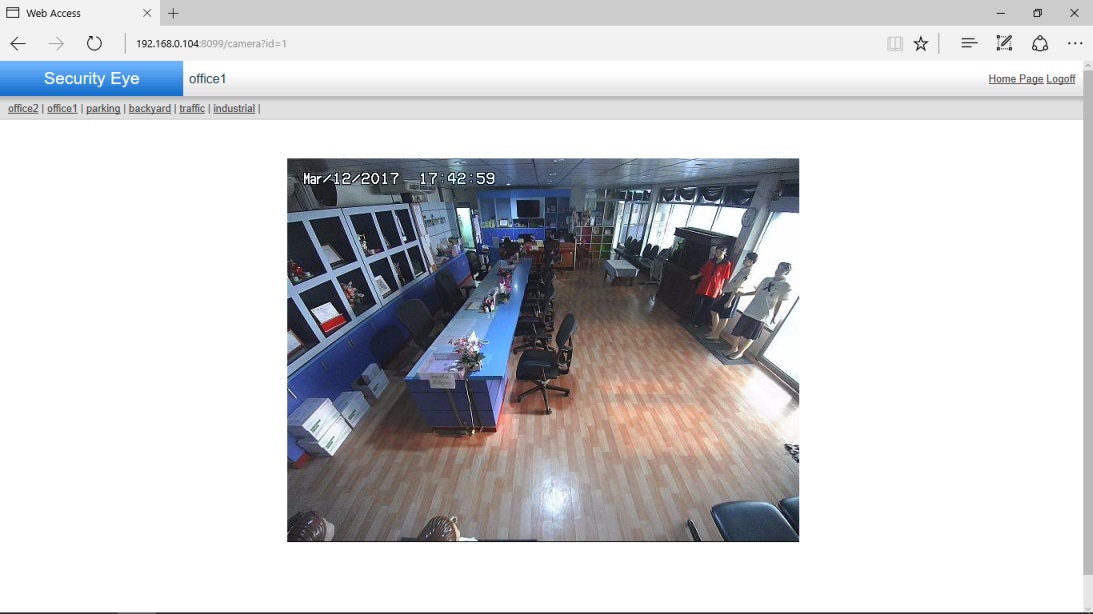
Video SurveillanceSecurity Eye is video surveillance software for Windows that lets you monitor IP cameras and webcams from one place. View multiple camera streams at the same time, discover supported network cameras, and use Web Access to view live video remotely through a browser. |
 |
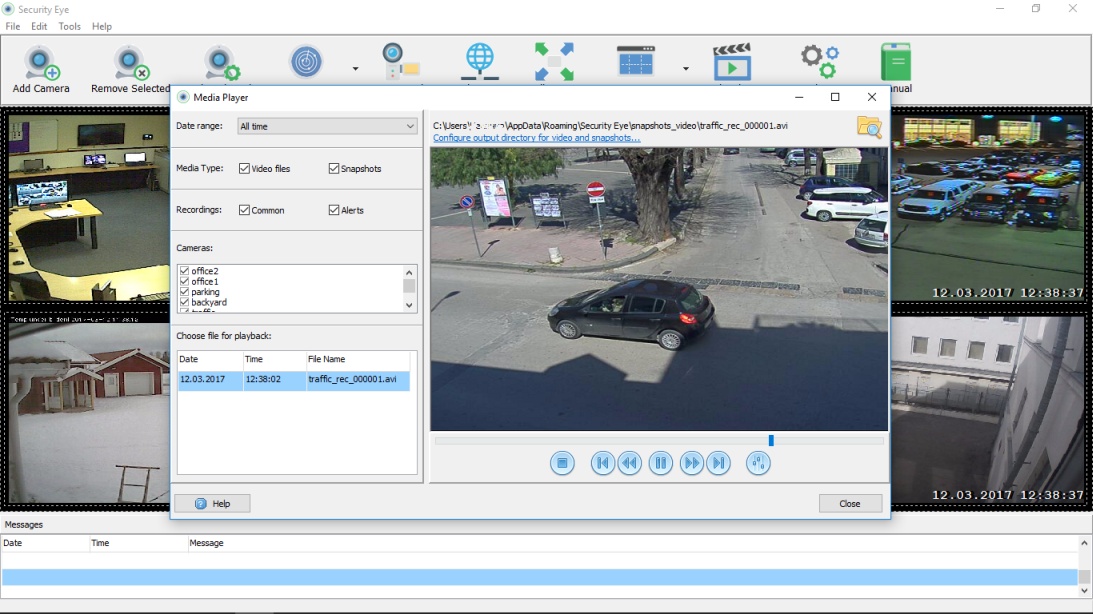
Video RecordingRecord video from connected cameras to keep a history of important events at home, in an office, or in a shop. Use the integrated media player to review saved recordings and snapshots, and schedule recording for specific times of day or days of the week. |
 |
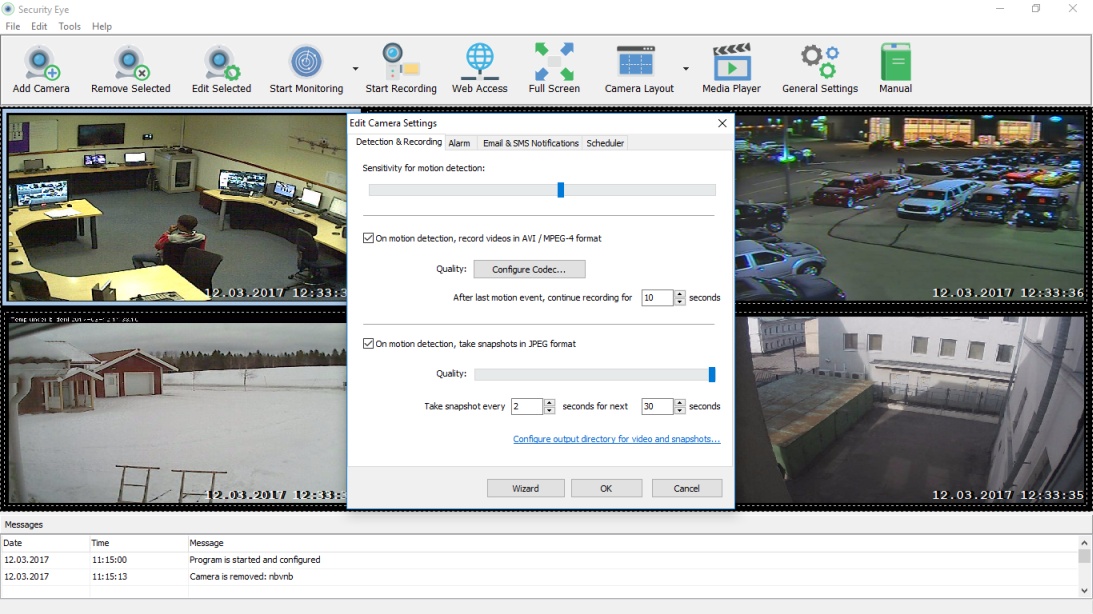
Motion DetectorThe built-in motion detector analyzes video frames for activity. Adjust detection sensitivity and masking areas for each camera to focus on the parts of the image that matter and reduce unwanted alerts. |
 |
Alerts via Email & SMSWhen motion is detected, Security Eye can trigger an audible alarm and send notifications by email with camera snapshots. SMS notifications are also available when configured, helping you react quickly while you are away. |
 |
Task SchedulerUse the scheduler to run monitoring and recording only when you need them. Set days, time periods, and camera-specific schedules so home or business surveillance can start and stop automatically. Always use workplace monitoring in accordance with applicable privacy laws and company policies. |
 |
Capture the IncidentWhen Security Eye detects an event, it can capture snapshots and record video so you have material to review later. Store recordings in your configured location and use the media player to find the footage you need. |
What The Experts Say
|
|
|
Typical Scenarios and Uses
 |
Home SecurityMonitor entrances, rooms, garages, or other areas while you are away. A supported IP camera or USB webcam can provide live video, while motion detection and notifications help you notice unexpected activity. |
 |
Baby SurveillanceUse a connected camera to check what is happening in your child's room when you are elsewhere. Security Eye can provide live viewing and recording for general home monitoring. |
 |
Business SecurityUse Security Eye to monitor offices, retail spaces, entrances, or storage areas. Schedule motion detection after hours or recording during selected periods, subject to the privacy and surveillance rules that apply in your location. |
 |
Pet SurveillanceSee what your pets are doing while you are away. Live viewing, motion detection, snapshots, and recordings can help you check activity throughout the day. |
|
Download Security Eye 4.7
|
 |
|
|

Copyright © 2016-2026 Security Eye Software .
Learning Center | Privacy Policy | Terms of Use